
Guide for teachers at all levels
Using AI in teaching: practical ideas for teachers and contest entries
What AI can do for teachers: prepare materials, differentiate exercises, create questions, give feedback, answer students as an assistant; ideas by subject and level, responsible AI use and steps to build a small AI product for a contest.
Quick summary
- AI saves teachers preparation time: drafting materials, creating questions, differentiating exercises, suggesting feedback.
- Everything AI produces should be checked by the teacher before it reaches students.
- Good AI products for teaching are usually small, focused and answer only within vetted content.
- For contests, the teacher owns the idea and content; technical parts can be supported where the rules allow.
What can AI in education do for teachers?
Today's artificial intelligence (AI), especially chat and content-generation tools, can read requests in Vietnamese and produce text, questions, images and voice-overs in seconds. For teachers, the biggest value is cutting repetitive preparation so there is more time for students.
AI does not replace teachers. It is like a hard-working assistant that is sometimes wrong: it drafts quickly, while final decisions on content, method and assessment remain with the teacher.
Using AI in teaching: the most practical tasks
Lesson planning and materials
Suggest lesson outlines, opening scenarios, examples close to students' lives and worksheets matched to learning outcomes.
Differentiated exercises
From one base exercise, create easy, medium and hard levels; adapt texts for students who need support or more challenge.
Questions and review games
Generate multiple-choice, true/false and fill-in-the-blank questions with answers and explanations for the teacher to select.
Suggested comments and feedback
Based on the teacher's criteria, suggest specific, encouraging comments on students' writing and work.
An assistant that answers students
An AI assistant that answers only within materials the teacher provides, helping students revise outside class.
Illustrative images and audio
Story illustrations and voice-overs for videos, audiobooks and digital exhibitions.
Ideas for using AI by subject and level
Preschool and primary
Create short stories for the weekly theme, illustrations and nursery rhymes; storytelling voice-overs for parents to listen to with their children.
Literature
Suggest reading comprehension questions at several levels, sample paragraphs with errors for students to find and fix, criteria-based feedback on writing.
Maths
Create real-life word problems, change the numbers so each group gets its own version, and explain step by step for weaker students.
English
Situational speaking dialogues, level-appropriate reading texts and clear voice-overs for listening practice.
Science, history and geography
“What if…” scenarios for reasoning, mock interviews with a historical figure, discovery questions for virtual tours.
Homeroom work
Suggest class meeting content, letters to parents and scripts for experiential activities; the teacher adapts them to the class.
Using AI responsibly in teaching
AI can give wrong information that sounds very convincing. So using AI in teaching needs a few simple principles:
Always check accuracy
Compare with textbooks and authoritative materials; be especially careful with figures, dates, quotations and formulas.
Protect student data
Do not enter students' names, photos, grades or family information into public AI tools.
The teacher decides
AI suggests; the teacher selects and is responsible for the content, teaching method and final assessment.
Teach students to use AI properly
Guide students to use AI to ask, check and practise, not to copy answers; make clear when it is allowed.
Disclose AI use when needed
When contest rules require it, state which parts had AI assistance and what the author's role was.
How to write AI requests for lesson planning and materials
Good results depend heavily on how you phrase the request. A good request usually has these parts:
Role and audience
For example: “You are a grade 4 maths teacher with students in a rural area.”
A specific task
“Write 5 word problems about multiplication, each set at a village market.”
Format requirements
Length, difficulty, whether to include answers, table or list layout.
Source material to follow
Paste the lesson content or text to use so the AI does not make things up.
Ask again and refine
Request changes piece by piece: “Make question 3 easier”, “Change the example to suit city students”.
AI contest entry ideas for teachers
In AI-in-education creativity contests, convincing entries usually solve a specific problem in your own class or school. The idea and content are owned and developed by the teacher; the following are only starting points:
A lesson-based study assistant
Students ask an AI assistant that answers only from lesson content written by the teacher, with guiding questions instead of instant answers.
AI narration for a virtual exhibition
AI voice-overs for each item in a 3D gallery, possibly bilingual; the narration text is written by teachers and students.
A question generator with teacher review
AI generates question sets from a lesson; the teacher reviews and edits them before they go into review games for students.
A chatbot for the school heritage room
Visitors scan a QR code to ask about the school's history, notable teachers and students; answers come from the school's own records.
An English speaking practice assistant
Dialogues based on textbook situations, vocabulary limited to the students' level, with suggestions for better phrasing.
Steps to build a small AI product for teaching
Step 1: Choose a small problem
One specific need, for example students revising at home with nobody to ask; do not try to build an assistant that knows everything.
Step 2: Prepare the knowledge base
Gather lesson content, common questions and checked materials; this is the scope the AI may answer within.
Step 3: Write rules for the AI
Form of address, tone, answer length, what to do with out-of-scope questions, and never asking for personal information.
Step 4: Build and test
Use an existing assistant-building platform or get technical support; ask it many questions yourself, including hard and off-topic ones.
Step 5: Trial with students
Let a small group use it and note wrong answers, unhandled questions and how students feel about it.
Step 6: Refine and record impact
Expand the knowledge base and adjust the rules; record usage, student feedback and before-and-after comparisons for your submission.
Presenting an AI contest entry convincingly
State the problem and the users
What difficulty the product solves, for which grade, in which situation.
Let reviewers try it
A link, QR code and a few sample questions so reviewers can try it at once.
Explain how content is controlled
Which sources the AI answers from, how the teacher reviews it, and what happens when the AI is unsure.
Evidence of real use
Photos and videos of students using it, feedback and usage figures from the trial period.
Frequently asked questions
What does using AI in teaching mean?
It means using artificial intelligence tools to support teaching and learning, such as preparing materials, creating questions, differentiating exercises, suggesting feedback and answering students as an assistant, under the teacher's control.
Is it OK to use AI to plan lessons?
Yes, if you treat AI as an assistant that drafts. Teachers need to check the knowledge, adapt it to their students and take responsibility for the final lesson.
What should an AI-in-education contest entry be?
Pick a specific problem in your own class or school and build a small product that works right away, such as a lesson-based study assistant, a question generator with teacher review or a heritage room chatbot.
How do I stop an AI assistant giving students wrong answers?
Limit the AI to answering only from content the teacher has checked, write clear rules for out-of-scope questions, and test it thoroughly before students use it.
Can teachers who cannot code build an AI product?
Yes. Many platforms let you create an AI assistant by entering materials and rules. Integrating it into a website, digital exhibition or QR code can get technical support where the rules allow.
 Digital teaching equipment
Sample product
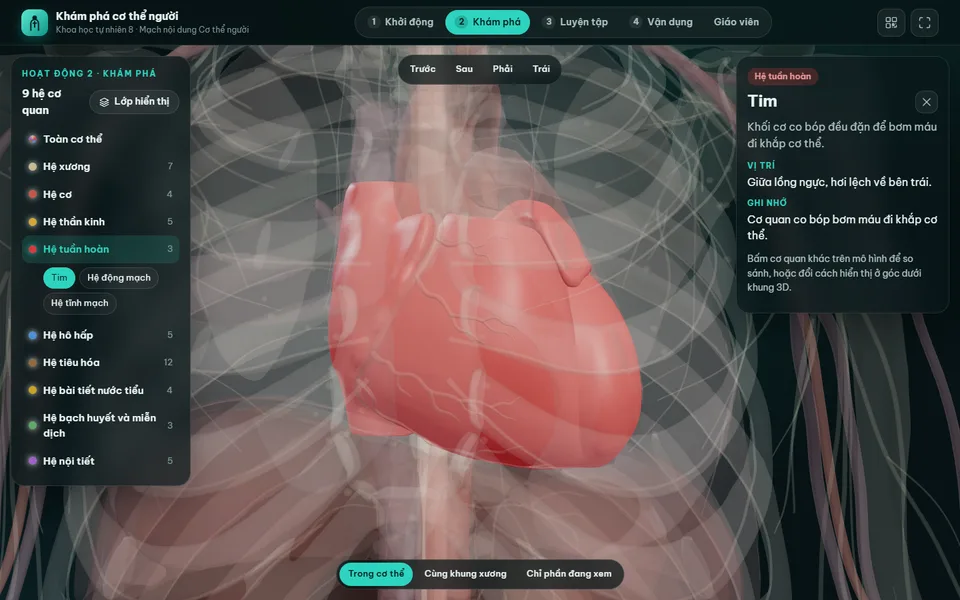
Digital lesson: Explore the human body (3D model)
Try a similar digital product live on a computer or phone. Real products are built around your own idea.
View demo (opens in a new tab)Need technical support for an AI product?
We suggest ideas and work with you to build the technical parts of digital products: AI assistants, chatbots based on your school's materials, voice narration, games and QR codes, usually within 3–10 days.
Related articles
See all articlesDigital teaching equipment
What digital teaching equipment is, how it differs from digital learning materials and what forms it takes; examples for preschool, primary grades 1–5, maths, science, English, history and geography, how to use it in class and steps to make a contest entry.
ReadDigital transformation initiatives
Digital transformation initiative ideas for kindergartens, primary and secondary schools and communes; how to find ideas, trial them, present results and use a digital product to make the initiative more convincing.
ReadMaking a digital entry
What a digitised contest entry means, which format suits STEM, AI, culture or initiative contests; how to prepare content, make the product work well on phones, submit it by link and QR code and present it to the judges.
Read