
Guide for teachers and officials
Digital transformation initiatives in schools: ideas and how to implement them
Digital transformation initiative ideas for kindergartens, primary and secondary schools and communes; how to find ideas, trial them, present results and use a digital product to make the initiative more convincing.
Quick summary
- A digital transformation initiative uses digital tools to solve a real problem in a class, school or locality.
- No new software needed: using existing tools in a new way also counts.
- An initiative convinces when it is new, has been trialled and has before-and-after figures.
- A digital product that reviewers can try themselves makes the initiative stand out.
What is a digital transformation initiative?
It is a solution that uses digital technology to do something specific better: livelier teaching, faster management, more convenient service for residents.
It need not be new software. A new way of using simulations, 3D models, QR codes or learning games that fits your class, school or locality is a valuable initiative too.
What makes a good initiative?
Solves a real problem
Start from a specific difficulty of students, teachers or residents, not from the technology.
Something new
Different from the unit's previous practice, or a creative application of good practice from elsewhere.
Trialled with results
Applied in a class, school or area for a while, with comparative figures.
Easy to scale
Others can follow it at reasonable cost and effort.
How to find initiative ideas
Look at daily difficulties
Which lessons students struggle with, which tasks take too long, what residents often ask.
Ask the beneficiaries
What students, parents, colleagues and residents need to make things easier.
Use existing tools
Digital materials, simulations and free platforms can solve the problem at low cost.
Learn from good models
Look at other schools and localities, then adapt to your situation.
Initiative ideas for kindergartens
Story time with parents via QR codes
Weekly stories and songs recorded as audiobooks and shared by QR code.
360° corner about the home region
Show 360° photos of local landscapes and sites on a big screen.
Weekly activity album
Share class activity photos with parents safely.
Initiative ideas for primary schools
Virtual experiments for science lessons
Interactive simulations for predict–test–explain.
Weekend review games
Lesson quizzes and crosswords played in class or at home.
Gallery of student work
A 3D exhibition of drawings and writing parents can view remotely.
Virtual tours of local heritage
Local history and geography lessons with 360° tours and worksheets.
Initiative ideas for secondary schools
3D models for hard-to-picture topics
Solid geometry, cell structure and molecules with rotatable 3D models.
Students create digital resources
Student groups make videos, digital maps or exhibitions on a lesson topic.
Self-practice question bank
Chapter question sets with instant feedback.
Initiative ideas for communes and wards
Procedure Q&A assistant
Answers common procedure questions, with a QR code at the one-stop desk.
Digital map of heritage and revolutionary sites
A map and 360° tours of local sites for public education and tradition.
Digital neighborhood notice board
QR codes on notice boards to weekly notices and role models.
Presenting the initiative's results
Before and after
The same indicator measured before application and after the trial.
Countable figures
Students, sessions, views, scores, processing time, satisfaction.
Real pictures and feedback
Activity photos, products and feedback from students, parents and residents.
Wider applicability
Conditions for other classes, schools or localities to follow; estimated cost.
Using a digital product to illustrate the initiative
Reviewers are more easily convinced when they can try it themselves. A good digital demo has:
A link and QR code
So reviewers can open it at once on a phone or computer.
Works well on phones
No installation, fast loading, readable text.
The unit's own content
Photos, materials and stories from your class, school or locality.
Usage figures
Views, plays and QR scans as evidence of impact.
Frequently asked questions
Does a digital transformation initiative need new software?
No. Using existing digital tools in a new way to solve a specific problem is also an initiative, as long as it is new and effective.
How long should the trial run?
Long enough to have before-and-after figures, for example a few weeks to a term, depending on the initiative.
Is a digital demo needed?
Not required, but a digital product with a link and QR code lets reviewers try it directly and understand the initiative faster.
How can I do a digital initiative if I'm not tech-savvy?
Start from your problem and idea; for the technical part, use existing tools or get a provider to build the demo.
 Digital government
Sample product
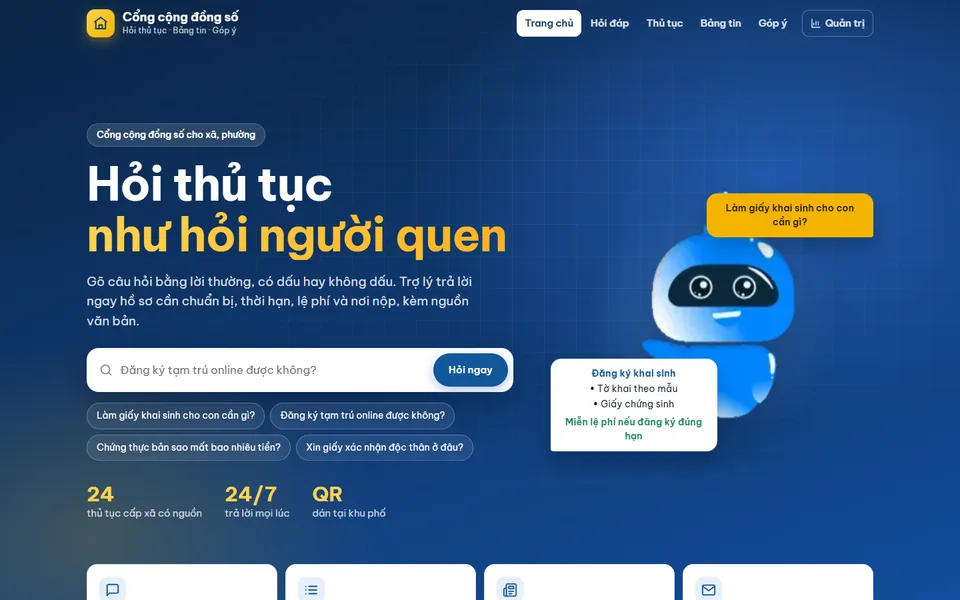
Digital community portal with a procedure assistant
Try a similar digital product live on a computer or phone. Real products are built around your own idea.
View demo (opens in a new tab)Need a digital product to illustrate your initiative?
We suggest ideas and work with you to build digital products: 3D exhibitions, 360° tours, simulations, games, AI assistants and QR codes, usually within 3–10 days.
Related articles
See all articlesMaking a digital entry
What a digitised contest entry means, which format suits STEM, AI, culture or initiative contests; how to prepare content, make the product work well on phones, submit it by link and QR code and present it to the judges.
ReadDigital teaching equipment
What digital teaching equipment is, how it differs from digital learning materials and what forms it takes; examples for preschool, primary grades 1–5, maths, science, English, history and geography, how to use it in class and steps to make a contest entry.
ReadAI in teaching
What AI can do for teachers: prepare materials, differentiate exercises, create questions, give feedback, answer students as an assistant; ideas by subject and level, responsible AI use and steps to build a small AI product for a contest.
Read