
Guide for schools, agencies, alumni committees and graduating classes
What is a digital yearbook? Types of digital yearbooks and how to make one for an anniversary
What a digital yearbook is, its forms (flipbooks, websites, 3D heritage rooms, audiobooks), how it differs from print, what it should contain, steps for school, agency and graduation anniversaries, and points to watch on photos, music and long-lasting links.
Quick summary
- A digital yearbook is the digital version of a yearbook, viewed on phones and computers via a link or QR code.
- The common form is a flipbook made from the print file; others include yearbook websites, 3D heritage rooms, audiobooks and recorded memories.
- Combine them: print for the ceremony, digital for wide sharing and additions years later, linked by a QR code.
- Ask permission to use other people's photos, especially students'; use properly licensed music and images; keep links alive for the long term.
What a digital yearbook is
A digital yearbook presents the history, photos, achievements and people of a school, agency or cohort for viewing on phones and computers, opened by a link or QR code. It can be a digital copy of the printed book, or a separate product with video, narration and 3D spaces that print cannot offer.
Digital yearbooks are often made for founding anniversaries, graduation ceremonies, congresses and conferences. Published examples include the 113-page 30th-anniversary digital yearbook of Le Quy Don Specialized High School (Dien Bien), opened by QR code; a flipbook yearbook for the 50th anniversary of Pham Hong Thai High School (Hanoi); and a QR-linked digital yearbook of the 2025–2030 congress of the Party Committee of central Party agencies.
Types of digital yearbooks
Flipbook
Made from the print design file, turning pages like a real book with zoomable photos and text. The most common and quickest form.
Yearbook website
Organized into sections: history, generations of teachers, achievements, notable people, class photos; easy to search and add to each year.
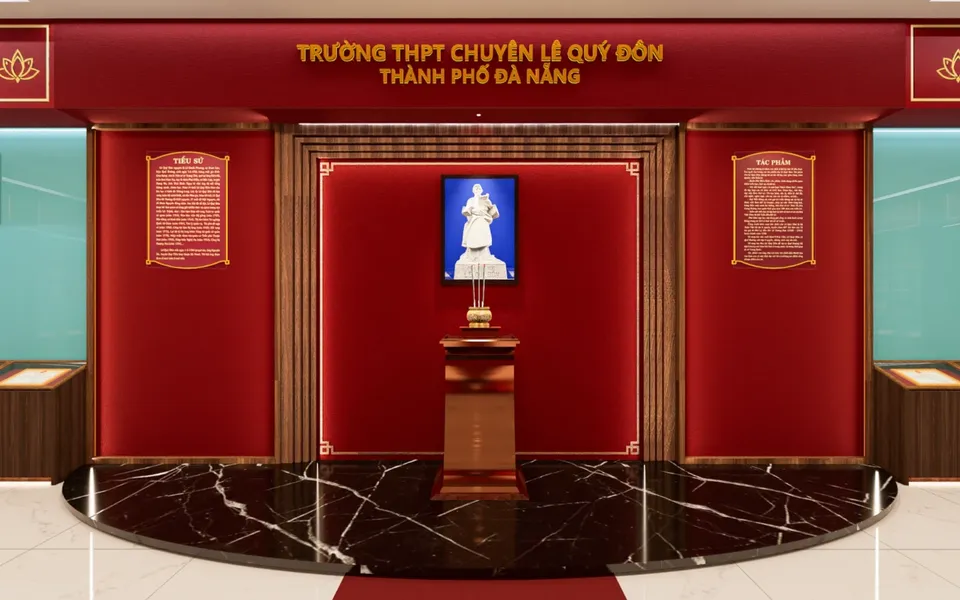
3D heritage room
A 3D space displaying photos, artifacts and awards by period; visitors walk around and tap each item to read or hear about it.
Audiobooks and recorded memories
Recordings of teachers, alumni and past leaders keep voices and emotions that text struggles to convey.
Class photo albums
Class and activity photos ordered by school year so alumni can find their own cohort.
How a digital yearbook differs from print
Print is formal and suits gifts at the ceremony, but copies are limited, hard to correct and hard to send far away. A digital version can be shared on Zalo and Facebook, include video and narration, and grow after the ceremony. A common approach today is a small formal print run with a QR code linking to a fuller digital version.
Cost
No per-copy printing cost; the more viewers, the better.
Updates
Fix mistakes and add photos alumni send after the ceremony without reprinting.
Multimedia
Video, audiobooks and 3D tours that print cannot provide.
Reach
Alumni and teachers far away can open and share it at once.
What a digital yearbook should contain
History
Key milestones, names over time, locations, and photos of the school or agency then and now.
Generations of leaders, teachers and staff
Names and photos across periods, words of thanks, retired staff.
Achievements and awards
Titles, certificates of merit and notable achievements, with captioned photos of artifacts.
Notable people
Outstanding students, successful alumni and staff with notable contributions, each with a short story.
Cohorts and departments
Class photos by year, cohort lists and group photos of each department.
Wishes and memories
Writing, audio clips and videos sent by teachers, alumni and parents.
Steps to make a digital yearbook
1. Form an editorial board
Leaders, long-serving teachers, alumni and someone in charge of images; agree on the format and launch date.
2. Collect materials
Open an online form for teachers and alumni to send photos, writing and recordings; scan old photos, photograph artifacts and awards.
3. Edit and check
Select, caption and verify names and dates; ask permission from people in photos where needed.
4. Build the digital version
Build the flipbook, website or 3D heritage room; test on many kinds of phones.
5. Approve and launch
Final approval by the board; launch at the ceremony on the big screen and hand guests the QR code.
6. Add after the ceremony
Add ceremony photos and late contributions from alumni; reuse it in later school years.
Notes on photos, music and personal information
Yearbooks contain many photos of people and other people's materials, so take care:
Photos of people
Using a person's image requires their consent, except for photos taken at public events. Ask before using portraits and private photos.
Student photos
Publishing students' private information and images requires consent from their parents and from the children themselves from age 7.
Music, photos and videos by others
Music, photos and films are protected works; use music with clear usage rights and credit borrowed photos.
Contact details
Do not publish teachers' or alumni's phone numbers or home addresses without consent.
QR codes and links that last
Yearbooks are reopened years later, so links must last. A printed QR code cannot be changed, so point it to a link owned by the school or agency that then leads to the yearbook; if hosting changes, only the link's destination needs updating.
Use the unit's domain
Host the yearbook under the school's or agency's domain rather than a personal account link.
Back up
Keep the original design files and high-resolution photos in the unit's own storage.
Print QR codes large enough
Put QR codes on the cover, first page and invitations; test with phone cameras and Zalo before printing.
Occasions for a digital yearbook
Round founding anniversaries (10, 20, 30, 50 years and so on) are the most common occasions. 20 November 2027 marks 45 years of Vietnamese Teachers' Day (1982–2027), a good moment for a teachers' tribute wall or a teachers' section in the school's digital yearbook. Graduation ceremonies, congresses and agencies' year-end conferences are also common occasions.
Frequently asked questions
What is a digital yearbook?
A yearbook in digital form, viewed on phones and computers via a link or QR code. It can be a digital copy of the printed book (a flipbook) or a separate website, 3D heritage room, audiobook or video.
What software is used to make a digital yearbook?
Flipbooks can be made with tools that turn PDF files into flipbooks. Websites, 3D heritage rooms and audiobooks need web, 3D and recording tools, or a technical team. Well-edited materials and long-lasting links matter more than the tool.
How long does it take to make a digital yearbook?
Collecting and editing materials takes longest, usually weeks to months. Once materials are ready, building the digital version takes from a few days to a few weeks depending on the format.
Should the print edition be dropped once there is a digital yearbook?
Not necessarily. Many schools print a small run for ceremony gifts and archives, with a QR code linking to a fuller digital version for wide sharing and later additions.
What should be considered when publishing student photos in a digital yearbook?
Publishing students' private images and information requires consent from their parents and from the children themselves from age 7; do not publish personal contact details.
Related demos
Heritage roomSample product
Le Quy Don High School for the Gifted 3D heritage room
A digital school heritage room: history, achievements and notable people, viewable on a phone.
Try it live on a computer or phone. Real products are built around your own idea.
View demo (opens in a new tab)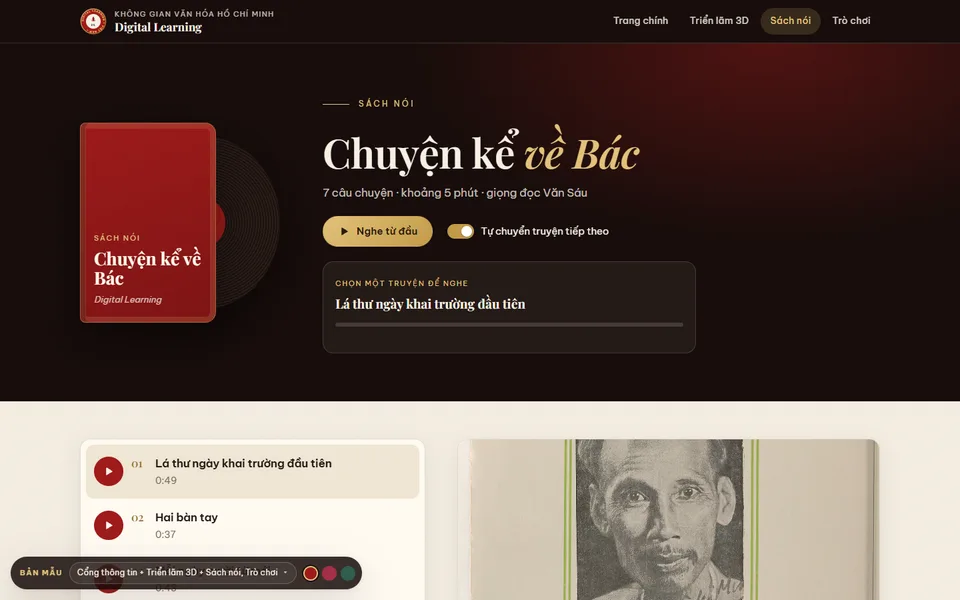 Audiobook
: Stories about Uncle Ho
Seven narrated stories about Uncle Ho, played in order like a book with auto-advance; opened by a QR code at the Uncle Ho corner.
View demo (opens in a new tab)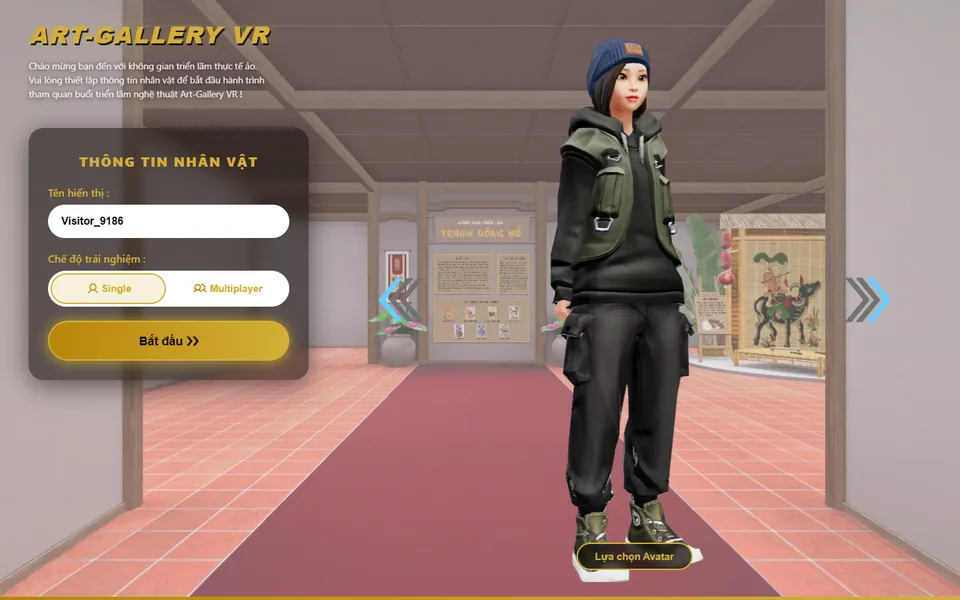 Art gallery
3D art gallery
A 3D Dong Ho painting gallery: pick an avatar, walk around, read captions; visit alone or with others at the same time.
View demo (opens in a new tab)
Need a digital yearbook for an anniversary?
We suggest ideas and work with you to build a digital yearbook: 3D heritage rooms, yearbook websites, audiobooks of teachers' and alumni's memories, photo submission forms and QR codes for the printed edition. Usually within 3–10 days once the materials are ready.
Related articles
See all articlesSchool anniversary
Tips for planning a school anniversary, activity ideas, digital yearbooks linked to print by QR codes, virtual heritage rooms, meaningful gifts, collecting photos from alumni and promoting the event on social media.
ReadDigital heritage room
The role of a school heritage room, what it includes, steps to build it and collect materials, decoration ideas for primary and secondary schools, and how to bring it online with 3D, 360° and QR codes.
ReadVirtual museums in teaching
What virtual museums and exhibitions are, their types and benefits for teaching history, geography, literature, the arts and STEM; steps to make a 3D virtual museum, free tools, lesson ideas and how to let students create their own exhibitions.
Read